Low Latency server
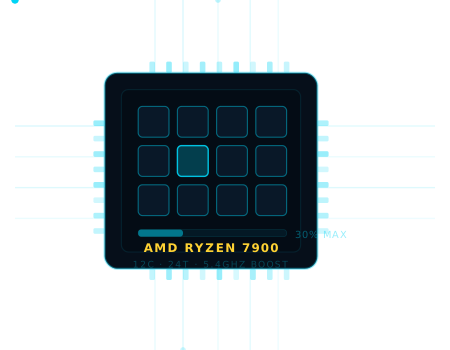
We use the latest high-frequency AMD Ryzen CPUs (e.g. Ryzen 7900 5.4Ghz), paired with fast DDR5 RAM and ultra-fast NVMe drives.
The result: high TPS and fully lag-free servers.

Easily create your Minecraft server
Launch your server in seconds with powerful, stable Minecraft hosting.
Trusted by over 750,000 Minecraft servers since 2015.
Modern and functional for simplified server management
Storage
Players
Protected
Uptime
Support
We ensure total transparency by designing and assembling our own machines. This lets us cut out third-party limitations and offer you an unbeatable price-to-performance ratio: 88% of the performance of the best CPU on the market at a 50% lower price!
We use the latest high-frequency AMD Ryzen CPUs (e.g. Ryzen 7900 5.4Ghz), paired with fast DDR5 RAM and ultra-fast NVMe drives.
The result: high TPS and fully lag-free servers.
Your server gets premium resources in an environment that always stays below 60% load. This power reserve guarantees exceptional stability and maximum performance, even on the heaviest modpacks.
Our datacenters in North America, Europe and Oceania deliver low latency wherever your community plays. Click a pin to test your real connection.
Your server and your community need
Install the most popular modpacks. Switch versions anytime.
Protected against all attacks, to stay online 24/7.
No disk space limits for the best experience.
Edit files directly from your browser.
Order your own .com, .net or .pro domain.
7 days of backups. Restore anytime.
Custom page to extend your rental.
Our expert team answers all your requests.
Curse, FTB, Forge, Fabric, Spigot, PaperMC, Bukkit, installable in 1 click
The most popular Minecraft versions are already preinstalled. Choose your version at checkout, switch anytime without reinstalling. Spigot, Bukkit, PaperMC for your plugins, Forge and Fabric for your mods.
Play instantly on our ready-to-use modpacks: they are automatically copied to your server. All you need to do is install the same modpack on your PC to play with friends. A modpack missing? Our support adds it for you.
Since 2015 our customers choose us for our prices,
and stay for the quality of our services
Our specialized, passionate and experienced team in Minecraft server hosting is available to answer all your questions. Simply open a ticket from your panel.
Also check out our tutorials and FAQ to quickly find solutions. We can add any unlisted modpack and advise you on the most suitable version for your server.
Over 10 years of trust, they play, they testify




















Check our FAQ page for more answers
The best Minecraft hosting company must be able to provide at the best price, the most reliable Minecraft servers on global locations with 99.9% uptime, and helpful support available to answer any of your questions. Running the lastest game server hardware to provide a lag-free experience to their customers.
📄What is the best Minecraft servers hosting ?We provide Free Minecraft game servers, they are limited to 10 days to allow everyone to test our services. As all our servers, they are hosted on the lastest AMD Ryzen 7900 processors, with unlimited slots and are available on our global locations datacenters. Once your tryout period is over, you are free to upgrade or not your server to continue playing.
📄Is hosting a Minecraft server free ?You need to go on your server panel and then click to activate the whitelist button, and check that the online mode button is also turned on. You need to validate and restart your server to apply the changes.
📄How to add a whitelist ?Go on your panel control, under the player page and add your player username to the operator list.
📄How to become admin on your server ?You need to install forge on your server, go on the maintenance page, then select forge. Upload mods on your server in the mods directory of your ftp, using an FTP client like winscp, then restart your server.
📄How to add mods ?You need to change your version to papermc, spigot or bukkit, on the first panel page, validate and restart your server. You can now install plugins using an FTP client such winscp, with the login/password displayed under the credential page, or the plugin manager.
📄How to add plugins ?You can edit your server settings directly on the first panel page, or by directly editing the server.properties file located on your webftp. Don't forget to stop and restart your server to apply the changes.
📄How to change server settings ?You can factory reset your server on the maintenance page, you will lose all your data if your do this, so be careful. Note that you can still load a backup if you did by mistake a reinstallation.
📄How to reinstall my server ?servers started
datacenters
happy customers
customers